Directions

& Parking

Location

Just a hop, skip, and a jump from the Hartford and Fairfield areas!

We're located at One Whitney, Suite 203 in downtown New Haven.

You'll find us on the corner of Whitney Ave. & Grove St., between Bruegger's Bagels and the Salad Shop, directly across from Willoughby's Coffee & Tea.

Look for the large "One Whitney" sign on the building. Once inside, take the elevator or stairs to the 2nd Floor, Suite 203.


Driving Directions

From I-91 (North or South)

  • Take Exit 3 for Trumbull Street.

  • Turn left onto Orange Street.

  • Turn right onto Grove Street.

  • Turn right onto Whitney Avenue.

  • One Whitney will be on your right.

From Hamden (Whitney Avenue)

  • Continue south on Whitney Avenue.

  • Turn left onto Trumbull Street.

  • Turn right onto Orange Street.

  • Turn right onto Grove Street.

  • Turn right back onto Whitney Avenue.

From Downtown New Haven

Church Street becomes Whitney Avenue after crossing Grove Street. Continue to One Whitney.

Street Parking

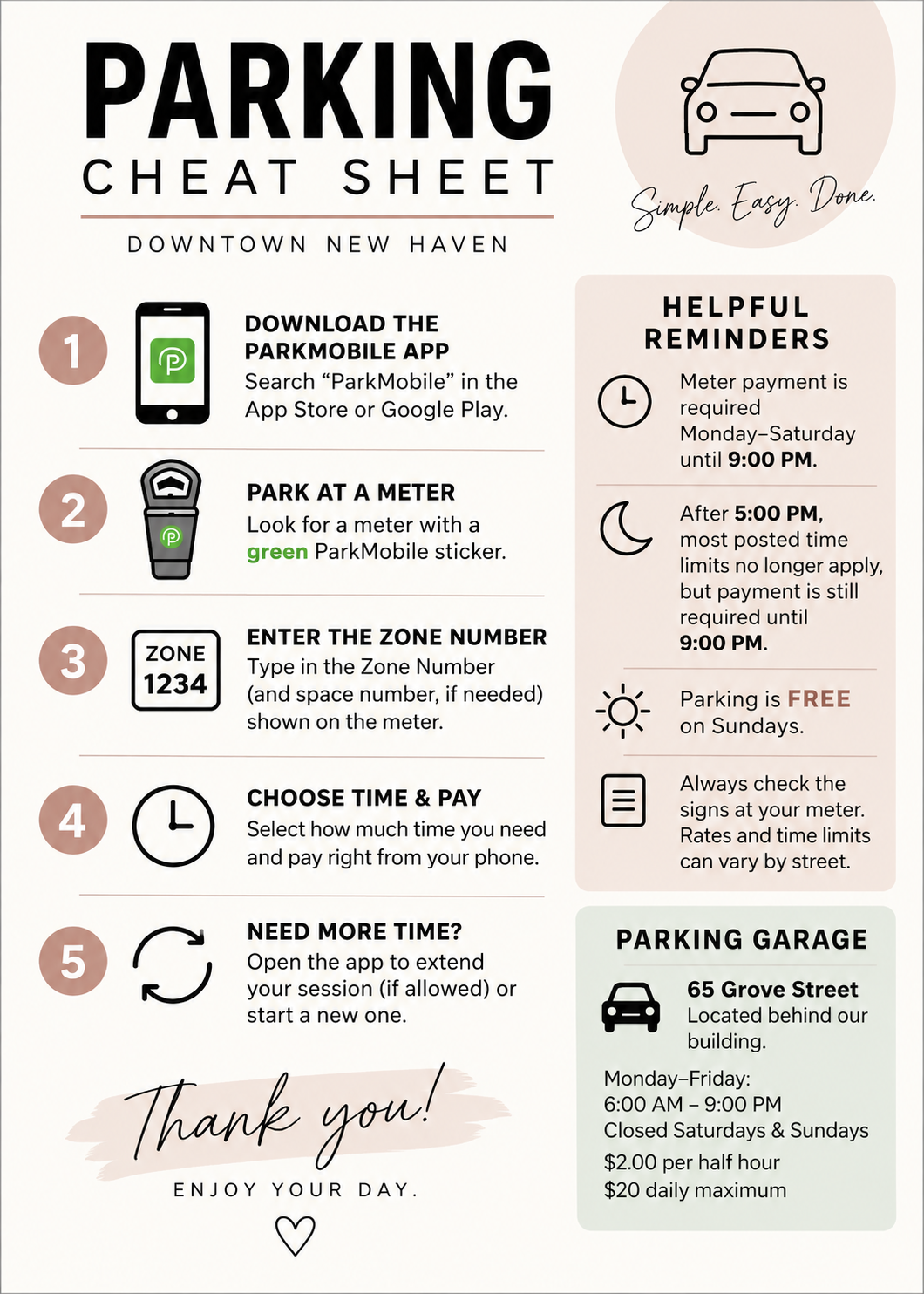
Metered street parking is available throughout downtown New Haven.

  • Pay at the meter or with the ParkMobile app.

  • Meter payment is generally required Monday–Saturday until 9:00 PM (excluding holidays).

  • After 5:00 PM, most posted time limits no longer apply, but payment is still required until 9:00 PM.

  • Parking is free on Sundays.

  • Please check the posted signs at your meter, as rates and time limits may vary by location.

Parking Garage

The closest parking garage is located directly behind our building.

65 Grove Street

  • Monday–Friday: 6:00 AM–9:00 PM

  • Closed Saturdays & Sundays

  • $2.00 per half hour

  • $20 daily maximum

ParkMobile

We recommend downloading the ParkMobile app before your visit.

With ParkMobile you can:

  • Pay for parking from your phone.

  • Receive a reminder before your parking expires.

  • Extend your parking session remotely, when permitted.

Simply park at a meter with a green ParkMobile sticker, enter the Zone Number displayed on the meter, and start your parking session.

Use the ParkMobile App!

Two smartphones, one white and one black, displaying the Parler app logo on their screens.

How It Works

  • Install the app HERE

  • Park at a meter marked with a green ParkMobile sticker.

  • Enter the zone and parking space numbers listed on the meter, or simply scan the QR code on the sticker itself.

  • Select number of minutes; receive notification 15 minutes before your parking session is set to expire.

    • Note: You will not be allowed to add minutes beyond the maximum time allowed for that space